HOW IT WORKS
It finds rallies by listening, not watching.
Replay Rally finds rallies by analyzing the audio track of your video for the distinctive pop of a pickleball paddle, then grouping those strikes into points. The analysis runs entirely on your iPhone, in seconds.
Why audio instead of video?
A pickleball paddle strike is one of the most recognizable sounds in sport: a short, sharp pop with most of its energy between 1 and 8 kHz. Finding that sound is far cheaper than tracking a ball across 30 frames per second, which is why Replay Rally can process an hour of footage in seconds on a phone, with no cloud, no model download, and no battery drain. It also means the camera angle doesn’t matter — behind the baseline, on a fence, at floor level — as long as the microphone can hear the court.
What does the detector actually do?
-
Onset detection. It computes spectral flux — how quickly the sound spectrum changes — restricted to the 1–8 kHz band, so it responds to paddle pops and mostly ignores voices, shoes, and HVAC.
-
Adaptive threshold. Strikes are kept when they stand well above a rolling median of the surrounding sound, which lets the same detector work in a quiet park and a loud gym.
-
Clustering into rallies. Strikes that fall within a rally’s rhythm are joined into one point; gaps longer than a point can plausibly pause split them.
-
Rejecting what isn’t your rally. Strikes from an adjacent court are quieter and cluster at a different amplitude, so they’re separated out. Pre-serve dribbling — the fast, regular bounce before a serve — is recognized by its tempo and dropped.
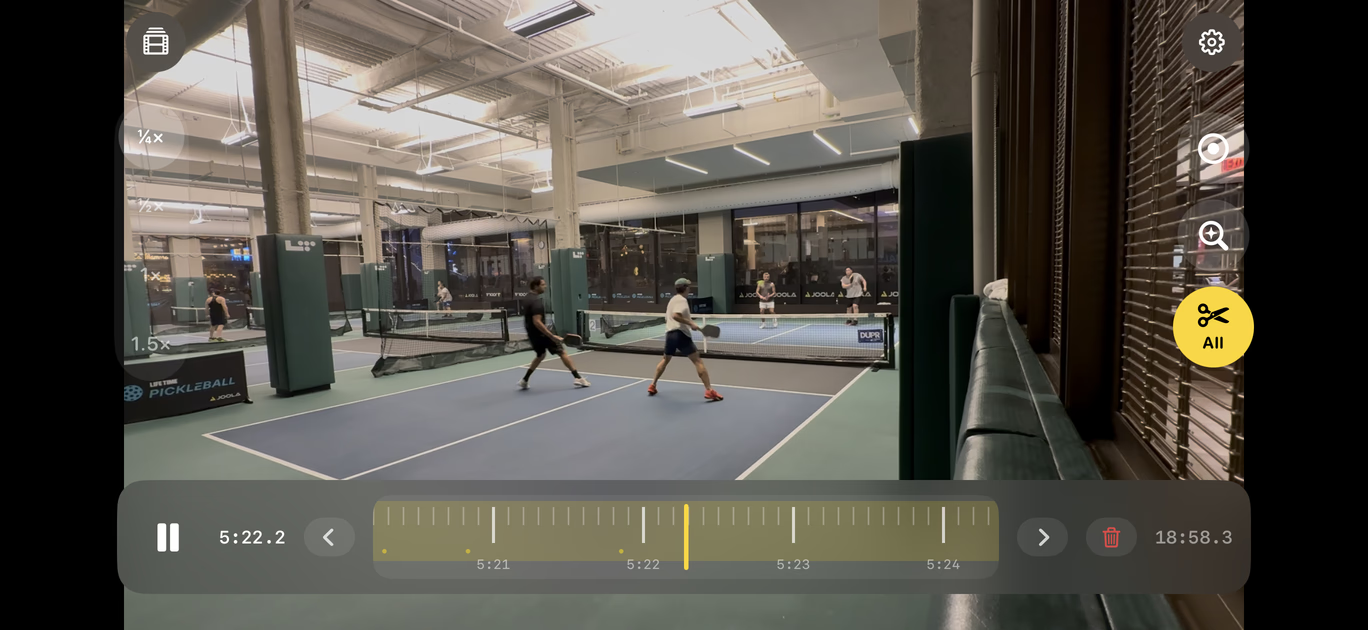
The result is a list of rallies with a timestamp for every shot, which is what draws the bands and dots on the jog wheel and drives the haptic tick on each strike.
How accurate is it?
On a court with one game and a phone within earshot, Replay Rally finds almost every rally with edges within a few tenths of a second of the serve and the ball going dead. The hard case is a busy rec center with games on both sides and a far-away phone: some quiet, far-side points can be missed and occasional strikes from the next court can be picked up. Both have a fix: a missed rally takes two taps to mark by hand, a false one is one tap on the trash button to remove — see the next section.
What happens when you mark a rally?
Mark any rally by hand — tap Mark at the serve, tap again when the ball is dead — and it is added to the timeline right away. Drag a rally’s edges on the wheel to trim it, or delete one the detector picked up from the next court.
How to make a pickleball highlight reel on iPhone
-
Open Replay Rally and choose a game video from Photos.
-
Wait a few seconds while the rallies are found; they appear as yellow bands on the wheel.
-
Optionally delete any false rally with the trash button, or trim an edge by holding it on the wheel and dragging.
-
Long-press the Clip button and choose “All rallies (no dead time)”. The reel is saved to Photos with the standing-around removed.
What about AI coaching?
Not in this version. AI coaching — what ended a point, what to work on, the patterns that cost you games — is planned as an optional paid subscription in a future update, because running it costs real money. Nothing on this page depends on it.